
Latest Version
Version
3.3.0
3.3.0
Update
December 11, 2025
December 11, 2025
Developer
Keybotivated
Keybotivated
Categories
Tools
Tools
Platforms
Android
Android
Downloads
0
0
License
Free
Free
Package Name
com.keybotivated.applock
com.keybotivated.applock
Report
Report a Problem
Report a Problem
More About Oops! AppLock
★★★★★
Addictive tips, lifehacker reviews the app as unique.
"Hilariously brilliant and effective." - Android Authority.
★★★★★
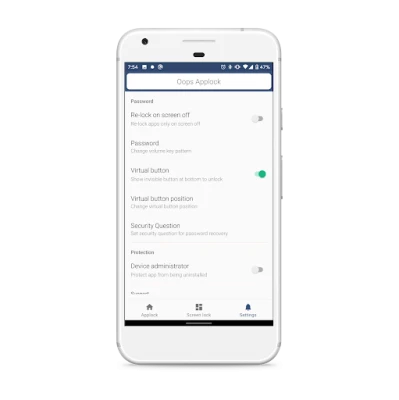
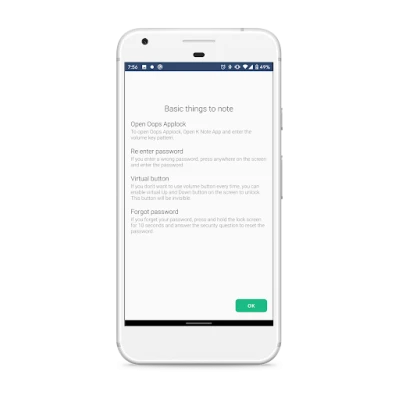
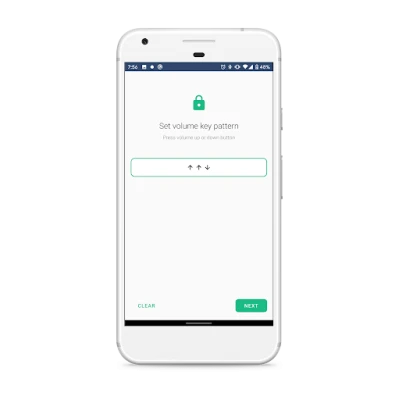
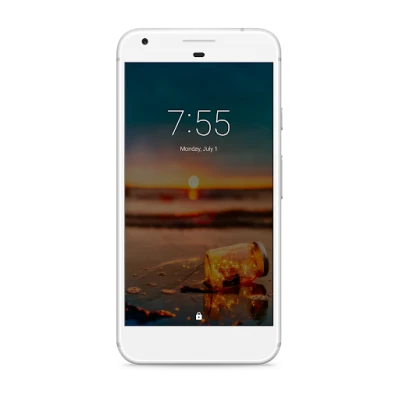
Oops! application locker does not use any on screen password ie. pin based or a pattern based locking system.
We use volume key pattern as the password. You can make any pattern using volume keys, like UP UP DOWN UP.
- Oops Applock is Totally invisible.
- Oops Applock ScreenLock is most safest screenlock.
- Using Oops Applock ScreenLock nobody can unlock your phone.
- Using Oops Applock ScreenLock nobody even notice phone is locked.
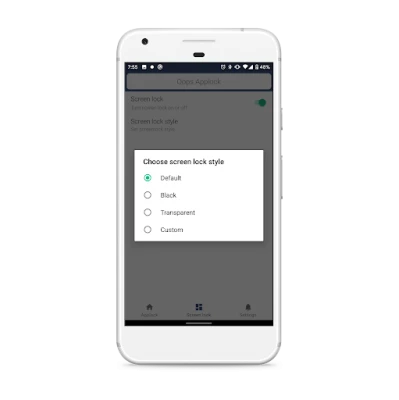
- Oops Applock ScreenLock has different styles to choose.
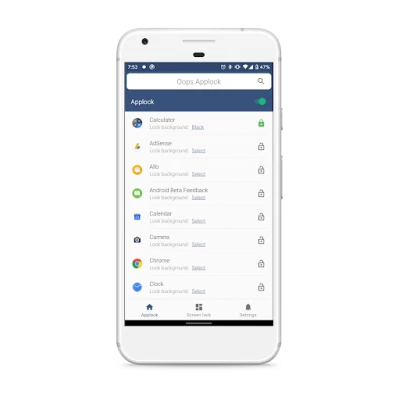
- Oops Applock is Most secure way to lock apps.
- Nobody even notice your app is locked with Oops Applock.
- Oops Applock is Simple.
- Oops Applock is Fun to use.
- Oops Applock can lock any applications.
- You can set different background for lock screen on every locked App with Oops Applock.
- Transparent and Black background makes as if your application is stuck.
- Fool friends with custom backgrounds using Oops Applock.
Tip- While choosing custom background, make sure it matches with your screen size to avoid clarity of the image.
Detailed How to by wonder how to
http://nexus5.wonderhowto.com/how-to/protect-apps-with-secret-volume-button-code-android-0158406/
App discussion forum,
http://forum.xda-developers.com/android/apps-games/app-oops-applocker-applocker-pin-t2960898
Please report bug at xda forum, so i can keep in touch with you.
Help me Translate to other languages
https://keybotivated.oneskyapp.com/collaboration/project?id=55522
Oops AppLock uses the Device Administrator permission.
Please activate AppLock as "device administrator". It's only used for preventing intruders uninstalling Oops AppLock.
Happy Locking.
"Hilariously brilliant and effective." - Android Authority.
★★★★★
Oops! application locker does not use any on screen password ie. pin based or a pattern based locking system.
We use volume key pattern as the password. You can make any pattern using volume keys, like UP UP DOWN UP.
- Oops Applock is Totally invisible.
- Oops Applock ScreenLock is most safest screenlock.
- Using Oops Applock ScreenLock nobody can unlock your phone.
- Using Oops Applock ScreenLock nobody even notice phone is locked.
- Oops Applock ScreenLock has different styles to choose.
- Oops Applock is Most secure way to lock apps.
- Nobody even notice your app is locked with Oops Applock.
- Oops Applock is Simple.
- Oops Applock is Fun to use.
- Oops Applock can lock any applications.
- You can set different background for lock screen on every locked App with Oops Applock.
- Transparent and Black background makes as if your application is stuck.
- Fool friends with custom backgrounds using Oops Applock.
Tip- While choosing custom background, make sure it matches with your screen size to avoid clarity of the image.
Detailed How to by wonder how to
http://nexus5.wonderhowto.com/how-to/protect-apps-with-secret-volume-button-code-android-0158406/
App discussion forum,
http://forum.xda-developers.com/android/apps-games/app-oops-applocker-applocker-pin-t2960898
Please report bug at xda forum, so i can keep in touch with you.
Help me Translate to other languages
https://keybotivated.oneskyapp.com/collaboration/project?id=55522
Oops AppLock uses the Device Administrator permission.
Please activate AppLock as "device administrator". It's only used for preventing intruders uninstalling Oops AppLock.
Happy Locking.
Rate the App
Add Comment & Review
User Reviews
Based on 0 reviews
No reviews added yet.
Comments will not be approved to be posted if they are SPAM, abusive, off-topic, use profanity, contain a personal attack, or promote hate of any kind.








More »

Popular Apps

Orai for Public Speaking, PresOrai App

Word Yatzy - Fun Word PuzzlerFunCraft Games

ExoMiner - Idle Miner UniverseExoCorp

Episode - Choose Your StoryEpisode Interactive

OkyDoky - Language CoursesHEYLINGO OU

Cubic PlanetMera Studios LTD

Auckland Airport official appAuckland International Airport

Tractive GPS for Cats & DogsTractive

ePlatform Digital LibrariesWheelers ePlatform Ltd

Pandora - Music & PodcastsPandora
More »
Editor's Choice

Masterson StaffingMasterson Staffing Solutions

Oops - Joy and meet funOops Tribe

Oops! AppLockKeybotivated

BrandBee: Earn Money & RewardsEmbee Mobile

Likewise CannabisLikewise Cannabis

ProgressProgress App

Project TimerKnowledge of Things

Wave - Digital Business CardWave Connect

Wavve Boating: Marine Boat GPSWavve Boating

Waze Navigation & Live TrafficWaze